Tuesday, December 13, 2016

A review of the Icom IC-7300 direct RF sampling transceiver

Icom and ham radio go hand-in-hand, one of their main markets is supplying top of the range equipment, this IC-7300 follows on from the wonderful IC-F7200 (which is a favourite in the office) and sits along side the new range of digital IC-F1000 & 2000 radios that are going really well, but have a new connector type, so new icom earpieces are needed. Read the comprehensive review we found from the swling.com website.

In August 2015 at the Tokyo Hamfair, Icom debuted a new type of transceiver in their product lineâ€"â€"one featuring a direct RF sampling receiver. Essentially, it was an SDRtabletop transceiver.

At about the same time that the IC-7300 started shipping around the world, Icom pulled their venerable IC-7200 off the market. Yet the IC-7200 was established as a well-loved product, due to its highly sensitive receiver, its relatively robust front end, and its quality audio. Moreover, it was simple to operate, which made superb as a Field Day or radio club rig.

Therefore, even though the IC-7300 promised much more versatility than the IC-7200, for its price point it had a tough act to follow.

So, of courseâ€"â€"even more so than with any other radio Icom has introduced in the past few yearsâ€"â€"I was eager to get my hands on a IC-7300.  I’m very fortunate that my good friend, Dave Anderson (K4SV) was one of the first purchasers of the IC-7300, and that he didn’t mind (after only having the rig perhaps one week!) allowing me to borrow it for a several weeks for evaluation.

Note:  I should state here that since this rig was loaned to me, I evaluated it based on the firmware version it shipped with, and made no modifications to it.
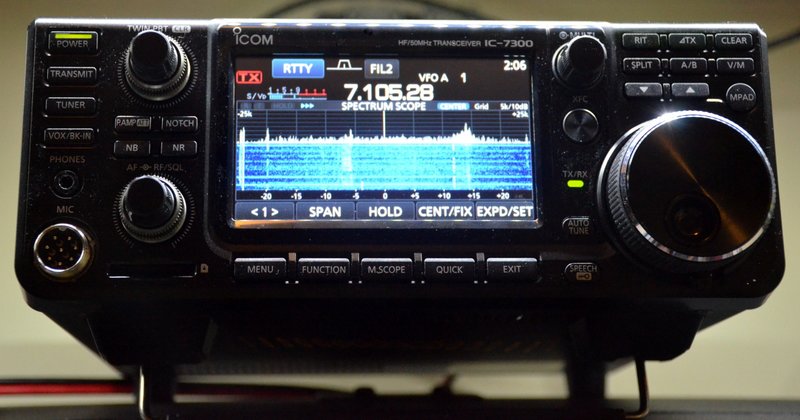
Icom-IC-7300-FrontThis review primarily focuses on the receiver’s performance, functionality and usability.

Introducing the Icom IC-7300

In recent years, the “big three” ham radio manufacturers have been using color displays, andâ€"â€"Icom most especiallyâ€"â€"touch screens. While I’m no fan of backlit touch screens in mobile applications, I  think touch screen displays make a lot of sense in a base radio. If carefully designed, a touch screen can save an operator from heavily-buried menus and decrease the number of multi-function buttons on the front panel.

The challenge, of course, is making a display with intuitive controls, and one that is large enough, and with sufficient resolution, to be useful to the operator. In the past, I’ve been disappointed by many displays; the most successful have been incorporated in DX/Contest-class (i.e., pricier) transceivers, meanwhile, entry-level and mid-priced transceiver displays often seem half-baked. While the graphics may be crisp, spectrum displays at this price point are often too compressed to be useful, and if not a touch display, force the user to pause operation in order to find the correct knob or button to change settings. In such cases, I find myself wondering why the manufacturer went to the expense of a color display at allâ€"â€"?
Icom-IC-7300-Display

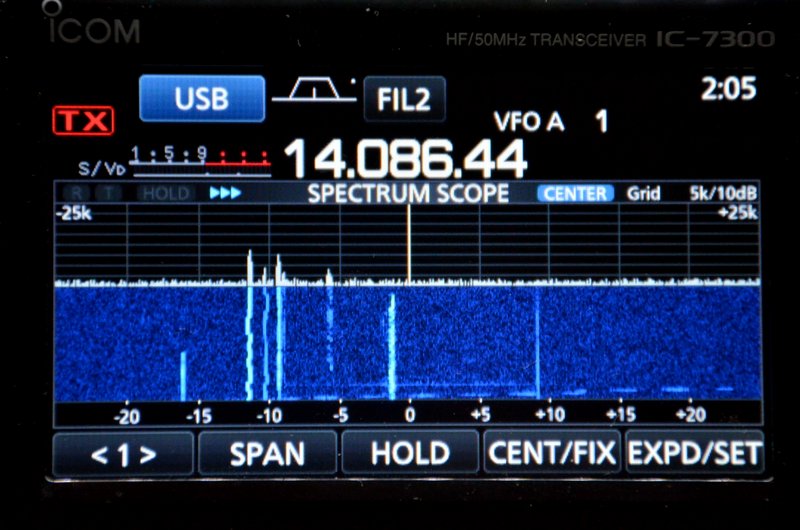
But what about the C-7300 display?  I’m thoroughly pleased to report that Icom did afantasticjob of balancing utility and function in design of the IC-7300’s color touch display and front panel. There are  number of ways you can chose to display and arrange elements on the screenâ€"since I’m an SDR fan, I typically chose a display setting which gave the waterfall the most real estate. Of course, one can chose to give the frequency display priority or a number of other arrangements.

User interface

I can tell that Icom built upon their experience with the IC-7100â€"â€"their first entry-level touch screen display transceiver.

I was able to get the IC-7300 on the air in very little time. Within five minutes of turning on the IC-7300, I was able to:


  • change the display to feature a spectrum waterfall;


  • change the span of the waterfall display;


  • adjust the TX power output;


  • change the filters selection and the transmit mode;


  • change bands and make direct-frequency entries;


  • adjust notch, passband, and filter width;


  • adjust AF and RF gain;


  • set A/B VFOs and operate split;


  • change AGC settings;


  • turn on Noise Reduction/Noise Blanker, and


  • adjust compression.


Basically, I found that all the essential functions are clearly laid out, accessible, and highly functional.  Impressive.

The IC-7300 ships with a manualâ€"â€" aptly titled, the “Basic” manualâ€"â€"and a CD with the full and unabridged operations manual.  The Basic Manual covers a great deal a lot more than the manual which accompanied the Icom ID-51a. If you read through the manual, you’ll readily familiarize yourself with most of the IC-7300’s higher function operations, and especially, you’ll be able to adjust the settings to your operation style. The Manual is written in simple language, and includes a lot of diagrams and graphics.

If you’re like me, you will find you’ll also need to reference that unabridged manual, so hang on to the CD, too.

Still, I imagine there’s a large percentage of future IC-7300 owners that will never need to reference the manualâ€"â€"especially if they don’t care about tweaking band edges or similar settings. Yes, believe it or not, it’s that easy to use.

Operation

Icom-IC-7300-Function-Buttons

While I spent a great deal of time listening to CW and SSB in various band conditions and at various times of day, I spent less time on the air transmitting.

With that said, all of my transmitting time was in CW since the IC-7300 mic was accidentally left out when my friend loaned me the rig.

I’m please to report that CW operation is quite pleasant. All of the adjustmentsâ€"â€"RF Power, Key Speed, and CW Pitchâ€"â€"can be quickly modified using the multi-function knob. While in CW mode, you can also toggle full break-in mode, which is quite smooth, via the function button and touch screen.

SSB functions are similar. While in  SSB mode, the multi-function knob allows you to change the tx power, mic gain, and monitor level. The function button opens an on-screen menu with VOX, compression, TBW, and the monitor toggle.

Here’s a short video I made with my phone while I made a few adjustments to the IC-7300:


Of course, my smartphones’s microphone can’t accurately reproduce the audio from the IC-7300, but you probably get the idea.

The only annoyance I notedâ€"â€"and perhaps I’m more sensitive to this, being primarily a QRPerâ€"â€"is that the 7300’s cooling fan starts up each time you key up. It even comes on when transmit power is at its lowest setting. I find this a little distracting in CW.  Fortunately, however, the 7300’s fan is fairly quiet and operates smoothly.

Receiver performance and reader survey results


Since our radio comparison shoot-outs have been particularly popular (and useful; check out our shoot-out between top portables, and ultra-compact radios, and others), I decided it would make sense to invite our informed readership to evaluate the Icom IC-7300’s performance in a series of blind, informal tests. (For information about these surveys,please read the first survey.)

Below, I’ve matched the labels (Radio A/Radio B) with the radio models.  I’ve also included pie charts which show the results from the survey.

Icom IC-7300 vs. WinRadio Excalibur


Weak Signal CW (40 meter band)


CW

Based on listener comments, those of you who preferred the ‘7300 did so because the CW was more interpretable and stable.

Some of you noted that I didn’t quite have CW at the same pitch on both rigs. I believe this is because the IC-7300’s calibration was ever so slightly off. This has since been addressed.

Weak/Strong SSB QSO (40 meter band)

SSB

This result was almost tied. The Excalibur’s audioâ€"â€"without any adjustmentsâ€"â€"has a fuller and “bassier” sound. The ‘7300 can be adjusted to have similar characteristics, but the default EQ settings produce very flat audio. Many of you commented that the IC-7300 more faithfully produced audio optimized for SSB.


Shortwave Broadcast recordings


The following recordings were made on the 31 meter broadcast band in the evening. Both radios had the same filter width: 9 kHz and 8.2 kHz.

Weak Shortwave AM (Radio Bandeirantes 31 meter band)

Weak-SW-AM

There was a noticeable preference for the WinRadio Excalibur in this particular audio set. Even though the Excalibur’s audio splattered a bit, the content was more interpretable. The IC-7300’s audio sounded flat in comparisonâ€"â€"again, something that can be adjusted quite easily in the ‘7300’s audio settings.

Strong Shortwave AM (Radio Romania International, French 31 Meter Band)


Strong-SW-AM

Once again, the Excalibur won favor, but I imagine results would have been closer had I adjusted the ‘7300’s audio EQ.


Mediumwave Broadcast recordings


Note that the following mediumwave recordings were made during the morning hours (grayline). The strong station is the closest AM broadcaster to my home; it’s not a blow-torch “Class A” type station, merely the closest local broadcaster.

In the “weak” sample, I tuned to 630 kHz where multiple broadcasters could be heard on frequency, but one was dominant.

Both radios are set to a filter width of 9.0 kHz.

Strong Mediumwave AM (1010 kHz)

Strong-MW-AM

Two out of three listeners preferred the Excalibur in this example.

Weak Mediumwave AM (630 kHz)

Weak-MW-AM

In this particular example, the IC-7300 could not pull the strongest broadcaster out of the pile as well as the WinRadio Excalibur. In fairness, the Excalibur was using AM sync detection, something the IC-7300 lacks.

Icom IC-7300 vs. Elecraft KX3
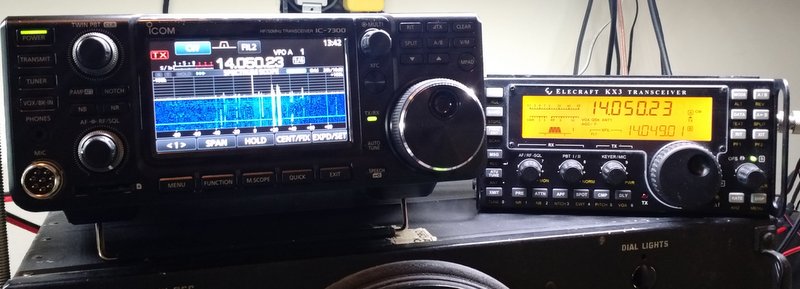


IMG_20160424_105444629

I also decided to pit the IC-7300 against my well-loved Elecraft KX3.


Audio Clip 1: CW (20 meter band)

Elecraft KX3: Radio A

Elecraft - CW

Based on comments, readers who preferred the IC-7300 felt the CW sounded more pleasant and stable.


Audio Clip 2: Weak Signal CW (20 meter band)

Elecraft - WeakCW

Your comments indicated that the CW seemed to “pop out” of the noise slightly better with the IC-7300.


Audio Clip 3: Weak/Strong SSB

(Sable Island working Asia/Pacific on 20 meter band)


Elecraft SSB

These results were spilt in the middle. Again, I believe this comes down to personal preference in the audio. And againâ€"â€"in both radiosâ€"â€"the audio EQ can be adjusted to suit the operator.


Receiver performance summary

I enjoy producing audio clips for readers to compare and comment upon. Each time I’ve done so in the past, I’ve had listeners argue the virtues of a particular audio clip while others have the complete opposite reaction to that same clip. Not all of us prefer our audio served up in the same way. No doubt, there’s a great deal of subjectivity in this sort of test.

I’ve had the IC-7300 on the air every day since I took possession of it. I’ve listened to SSB, CW, and lots of AM/SW broadcasters.

And here’s my summary: the IC-7300 is an excellent receiver. It has a low noise floor, superb sensitivity and excellent selectivity. I even slightly prefer its audio to that of my Elecraft KX3, and I’m a huge fan of the little KX3.

I’ve written before about how difficult it is to compare SDRs; the problem is that there are so many ways to tweak your audio, filters, AGC, noise reduction, etc. that it’s hard to compare apples with apples.

In the audio samples above, the IC-7300 and WinRadio Excalibur were both set to their default audio settings. In SSB and CW, the IC-7300 excels, in my opinion. CW seems to pop out of the noise better and SSB is more pleasant and interpretable. The Excalibur has a better audio profile for AM broadcasters, though. Its default audio simply sounds fullerâ€"more robust.

The audio from the IC-7300 on AM sounded absolutely flat. However, if I tweak the audio of the ‘7300, adding more bass, it instantly sounds more like a dedicated tabletop receiver.

I should also mention that while the IC-7300’s built-in digital recording is a fantastic and effective feature, it doesn’t produce audio true to what’s heard through headphones live. This is especially the case when you add more bass and treble response as in the RRI example above. When the audio EQ is set to a default flat, it’s quite accurate.

To be clear:  for broadcast listening, I’ll still reach for my SDRs (the Excalibur, FDM-S2,TitanSDRand CR-1a).

If, however, I have limited space and/or budget for multiple receivers, I’d be quite happy using the IC-7300 as a broadcast receiver on the HF bands.

Speaking from the Shortwave Radio Listener (SWL) perspective, meanwhile, am I pleased with how the ‘7300 handles the broadcast bands?  Most definitely.

And as a ham radio operator, am I pleased with the IC-7300’s receiverâ€"â€"?  Absolutely.

In short:  the IC-7300 seems to have some of the best all-around receiver qualities of any transceiver I know under $2,000.

Summary


Every radio has its pros and cons. When I begin a review of a radio, I take notes of my initial impressions. Here’s my list for the IC-7300:

Pros


  • Excellent sensitivity and selectivity


  • Excellent, highly-customizable RX and TX audio


  • Color touch screen interface


  • Spectrum display is large enough to be useful


  • Intuitive functions


  • Twin PBT is both intuitive to operate and effective


  • Effective RF gain to compensate for noisy band conditions


  • Built-in RX and TX recording, file transfers via common SD card


  • Front panel knobs and buttons are spaced appropriately and easy to use


  • Quiet cooling fan (see con)


  • Decodes RTTY on screen


  • Built-in ATU


  • Antenna analyzer function (not tested)


Cons


  • Lacks secondary receive antenna jack on rear panel


  • Cooling fan immediately starts up on CW/SSB transmit at any power setting (see pro regarding fan noise)


  • Occasionally you may get lost in deeper customized functions


  • Supplied printed basic owner’s manual, while well-written, doesn’t fully cover the IC-7300s functions and options; you must explore the digital owner’s manual in supplied CD.


Conclusion

In a nutshell: Icom has hit a home run with the IC-7300.  If I didn’t already have an Elecraft KX3 and K2, I would buy the IC-7300 without hesitation.

Though the price point is a little high for an “entry level transceiver,” it’s worth every penny, in my opinion. For $1500 US, you get a fantastic general-coverage transceiver with an intuitive interface, nearly every function you can imagine, and performance that would please even a seasoned DXer.

Though I haven’t done and A/B comparison with the IC-7200, I imagine the IC-7300 would prevail in a test. The IC-7300 would certainly wipe the floor with it’s more economical brother, the IC-718.

Radio clubs, take note:

In my view, the IC-7300 has the makings of an excellent radio club rig in which performance, functionality, as well as ease of use are important. I expect that the IC-7300 will not only cope very well with crowded and crazy Field Day conditions, but it will also give any newcomers to the hobby a little experience with a proper modern transceiver. The fact that you can view signals so easily on the spectrum display means that it will be easier to chase contacts and monitor bands as they open and close. Indeed, what better way to mentor a newly-minted ham in modes, contacts, carriers, QRN, QRM, and so forth, than to simply point these out on the IC-7300’s bright, clear displayâ€"â€"?

If your club is considering a transceiver upgrade or purchase, do seriously consider the IC-7300. I think you’ll find this rig is up to the task.

And for home? The Icom IC-7300 may be all of the rig you’ll ever need.

Why 2 Way Radio is fantastic for Business

Effective communication is crucial to the success of any business. Poor communication can easily lead to the collapse of any business regardless of size. If you’re running a huge business where keeping in touch with your staff is important, then you must put in place a very efficient communication system. A system that is not only efficient but also cost effective. These two factors are the reason 2 way radios are popular with modern businesses. A 2 way radio is a communication device that can both transmit and receive signal. It allows users using the same frequency to have a conversation at minimal or zero cost.

Why you should consider using a 2 way radio for your business

There are numerous benefits that a business will enjoy by making a 2 way radio its choice of communication. First, the radio provides a platform where you can conveniently keep in touch with your staff anytime you want. If you are the manager and the firm has several departments where you cannot physically access the staff, then this is the perfect device for you. Second, it’s easy to manage, unlike mobile phones that rely on the service providers. With radio system, you manage it from your premises.

The fact that a 2 way radio can only receive and send information at a set frequency improves your business' safety. You can keep the frequency a secret such that only certified individuals can access crucial information. The radio also allows you to create several channels for specific groups. This option allows you to call individual groups whenever the need arises. For example, if the information is meant for security department, it will not be necessary to have it broadcasted to other groups.

Its broad geographical coverage is another reason you should have this communication gadget. If your business Covers a vast geographic area such as a farm or a construction site, this is the perfect mode of communication to employ. It can also be an effective security monitoring system if it's well managed and utilized. Combining this system with GPS and the CCTV can significantly improve matters of security for your business.

But who can use the 2 way radio system?

A 2 way radio is one of the most user friend and flexible communication gadgets . Any firm can use it regardless of size. The radio is indeed the perfect model for a business that is struggling with geographical coverage challenges. It is ideal for shift workers, security staff, production line inspectors, farm workers, construction sites, shop watch and the list is endless. Anyone can use it. It only requires a little bit training on how to receive or to send a signal, and the user will be good to go.

Advantages of 2 way radios

One thing that stands out from this system is the reduced cost of communication- the cost is almost zero-rated compared to the other systems such as mobile phones. A 2 way radio is also very simple to use since you simply press the button to start talking. This speed can be crucial in cases of emergency compared to mobile phones where you will be needed to dial several buttons to make a call.

With this radio system, you can talk to multiple users at once- this is not possible with mobile phones. The gadget is built to military specs -the radio can be used in wet conditions and can withstand even a drop on the concrete surface. 2 way radio is one of the devices that can work in all areas of your business where mobile phones don’t work. The last but not the list of the advantage is that the radio stays on site, and thus different shifts can conveniently share it.

Key questions before installing a 2 way radio system


There are several questions that you must get clear answers to before you install a 2 way radio system. First, the area that the radio system is going to be used must be known. This will determine the power of the transmitter needed to cover that area. The number of people projected to use the radios should be the next question. The answer gives the number of radios required. The last question should be your budget. You must purchase what you can afford without compromising on the quality. With these questions answered, then you can have the most efficient 2 way radio communication system for your business.

How GPS Tracking Works

GPS (Global Positioning System) is a network of 24 satellites placed in orbit for navigation purposes. It was invented in 1960 and positioned by the US Department of Defense for military work but later released to the public as well. GPS navigation system works 24 hours a day anywhere in the world, and is free to use. The system sends signals to navigation devices to calculate the exact location, time and speed of a vehicle, person, aircraft or water equipment. Today it’s used widely by drivers, trucking companies, and shipping firms to track their cargo and know the best route to use.

How GPS Tracking Works

There are at least four satellites available anywhere one stands on earth. All the satellites circle the earth two times a day and send signals to various areas. Any GPS receiver including mobile phones takes this signal information and calculates the user’s location.

How this method works involves calculating the difference between when the signal was sent and when it was received. This difference tells the receiver how far the satellite is, and the distance comparison of several satellites within the same area confirms the location on the electronic map.

The more satellites found within a receiver's location, the easier it is to calculate speed, distance, and destination. At least three satellites are needed to calculate position, but a fourth satellite makes it possible to tell the speed, direction and estimated time when you are on the move.

Personal Tracking

Mobile GPS technology has made it possible to track people wherever they are. Today any phone can be tracked by the police or mobile service providers. Other mobile devices that help with tracking include jewellery such as watches, bracelets and even chips embedded in the skin.

Smartphones are also equipped with built-in GPS system that can provide the user with direction and navigation instructions. Most of these phones can tell you exactly where you are, including streets and attraction figures. They can alert you if you are going the wrong direction and give you the correct navigation.

Asset Tracking

It is so easy to track your cargo when it’s on the go. A tracking device or chip can be placed on the assets to know exactly where they are, the direction they are heading and when movement stops. Animal tracking devices are also commonly used to locate where cattle and wildlife are all the time.

Aircraft Trackers

GPS aircraft tracking is essential for both private and commercial planes. Though the primary agenda is safety and convenience, GPS works differently on the aircraft as compared to how it’s used in cars. Aircraft tracking enables traffic controllers to know the position of the plane and keep it safe when flying.

GPS also help the supervisors know when the plane will arrive and find it in the case of an accident. However, the greatest use of GPS tracker in aircraft is to ensure the pilot follows a particular path predetermined by the aircraft controller.

Vehicle Tracking

A GPS-enabled tracking device is placed on a vehicle to transmit data through cellular or satellite networks. This device will send the data to a chosen application such as NetTrack for the user to read. The tracking updates and information such as location, speed, direction and stop come in real-time.

GPS tracking system for vehicles enables people to track their cars when they are stolen, keep a tab on your business tracks and know where your child is with the car. It’s an easy and convenient way to keep track of vehicles, be it trucks, small vehicles or fleet of buses.


GPS and Two-Way Radio Integration

Two way radios are great devices used by campers, police force, and emergency dispatch for safety, tracking, and communication. However, they have shortcomings such as lack of real-time transmission, slow updates and being unreliable. Two way radio with GPS makers such as Garmin has integrated their systems with GPS capabilities. The GPS will help to know where someone is at all times even when the device is off, update locations in real time and store data for future use. It’s also handy in case of emergencies to get help and aid search activities.

UK Law

In the United States and most of the other developed countries, the use of GPS tracker by government authorities is limited. They must have a search warrant. Otherwise, any data found will not be admissible in court.

However, UK Law has no specific legislation on GPS trackers. The United Kingdom does recognize that some information is personal data, but it allows government surveillance without permission.

World's slimmest, buoyant DSC handheld radio unveiled

Icom Radio accessories

The IC-M93D EURO VHF/DSC handheld radio is the successor to the popular IC-M91D. Stylish and slim, this new Icom handheld contains an abundance of features including a dedicated built-in DSC receiver (meets ITU-R M.493-13 Class D DSC), internal GPS and active noise cancelling technology. In addition, an intuitive interface coupled with 2.3 inch full dot matrix high-contrast display and soft keypad makes this a comfortable and easy handportable to operate.


The IC-M93D EURO has an integrated DSC/GPS giving users the facility to send and receive DSC calls. A dedicated DSC receiver continuously monitors CH70 and is independent of the main receiver and other operation. Other important safety at sea offerings include a built-in compass, navigation and Man Over Board features.

Advanced noise cancelling technology on the radio reduces background noise by up to 90 percent on both outgoing and incoming calls making sure your communications are heard. The IC-M93D EURO come as standard with the BC-220 rapid charger which charges the standard Li-ion battery pack in just 2.5 hours. The handheld's extended 1500mAh Li-Ion battery life provides a full day of use.

The IC-M93D EURO features Icom's exclusive Float'n Flash and AquaQuake technology. Should the radio be dropped overboard, a flashing light will activate, making it easier to locate. The Float'n Flash feature works regardless of whether the power is turned on. The AquaQuake draining function uses low-frequency sound waves to clear water away from the radio's speaker grill for clear audio.

Additional radio features include the IPX7 waterproof rating, 50 waypoint memories with alphanumeric names for navigation and a loud speaker.

Ian Lockyer, Marketing Manager of Icom UK, said: 'The IC-M93D EURO combines advanced safety features with an intuitive user interface for faster and easier access to all the radio functions.'

The IC-M93D is now available to buy from authorised Icom Marine Dealers with a suggested retail price of £349.95 including VAT.

Saturday, November 19, 2016

Music From Your Sunglasses? Zungle's Founders Crowdfund $2M For Shades With Bone-Conduction Speakers

Anything with bone conducting technology, we will jump upon and love the hell out of! When we heard about Sunglasses that had speakers with bone conducting inside, to allow you to make calls and listen to music whilst on the move we thought what a great idea. This crowd-funder is looking to raise $50,000 but $1 million would be a good start. See more on this here.

One of the latest hot crowdfunding campaigns is for dark sunglasses called the Zungle Panther with bone-conduction technology that allows them to be used to listen to music and make phone calls. Jason Yang, Zungle’s 30-year-old CEO and co-founder, came up with the idea because he was annoyed with trying to wear an earpiece and sunglasses to listen to music while wakeboarding.

“We all love extreme sports, and Jason is a huge fan of wakeboarding,” says Sean Bang, 30, Zungle’s chief marketing officer and co-founder. “He’ll have sunglasses on, but eventually the earphone doesn’t work with the sunglasses, and he felt that it was inconvenient and uncomfortable. So we decided to get rid of the inconvenience.”

With Zungle’s sunglasses, wearers can listen to music or make phone calls while skiing, biking or wakeboarding without worrying about an additional earpiece. Bone-conduction technology, in which you hear sound through vibrations to your skull rather than through your ears, isn’t new. But the idea of putting it into relatively inexpensive consumer products, like sunglasses, has been gaining traction recently.

So after fiddling with the product for nearly a year, in June, the two friends, who had worked together at marketing firm Innocean Worldwide in South Korea, along with two other cofounders, Chris Hong and Injun Park, turned to Kickstarter with a stated goal of $50,000 for their high-tech sunglasses. As with many crowdfunding campaigns, that $50,000 number was a lowball one; Yang says “about $1 million” was their actual goal. The Zungle Panther has a similar look to Oakley’s shades, and retails for $150. Backers who chipped in $89 could get them in a choice of colors as a “reward.” “When we started, we didn’t have enough money to create this product,” Bang says. “We chose Kickstarter because we can target everyone around the globe.”


By the time the campaign ended, in mid-July, Zungle had raised more than $1.9 million, putting it among Kickstarter’s top 100 campaigns of all-time.

Wednesday, November 16, 2016

AXUM: THE FUTURE OF WIRELESS AUDIO

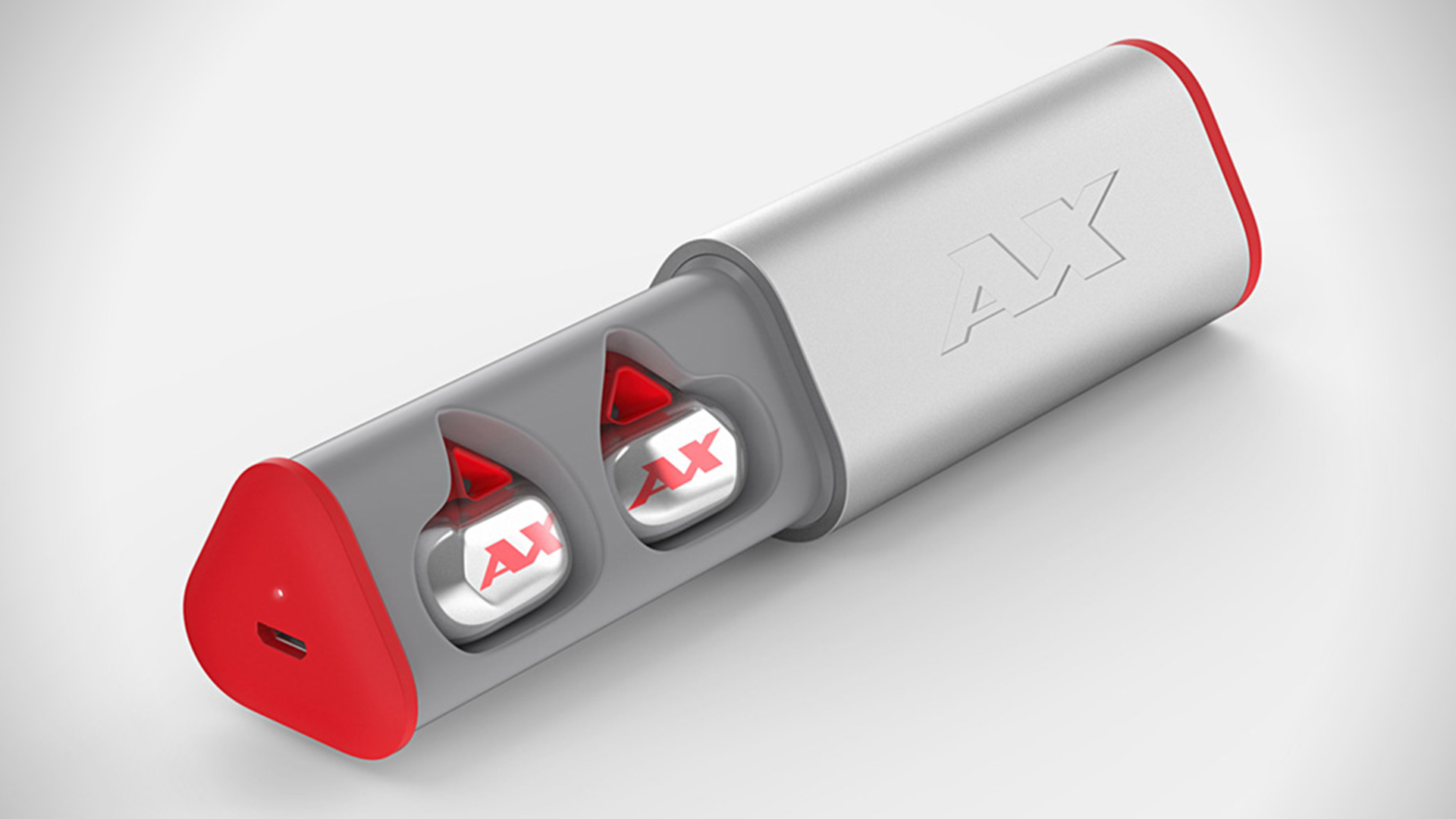
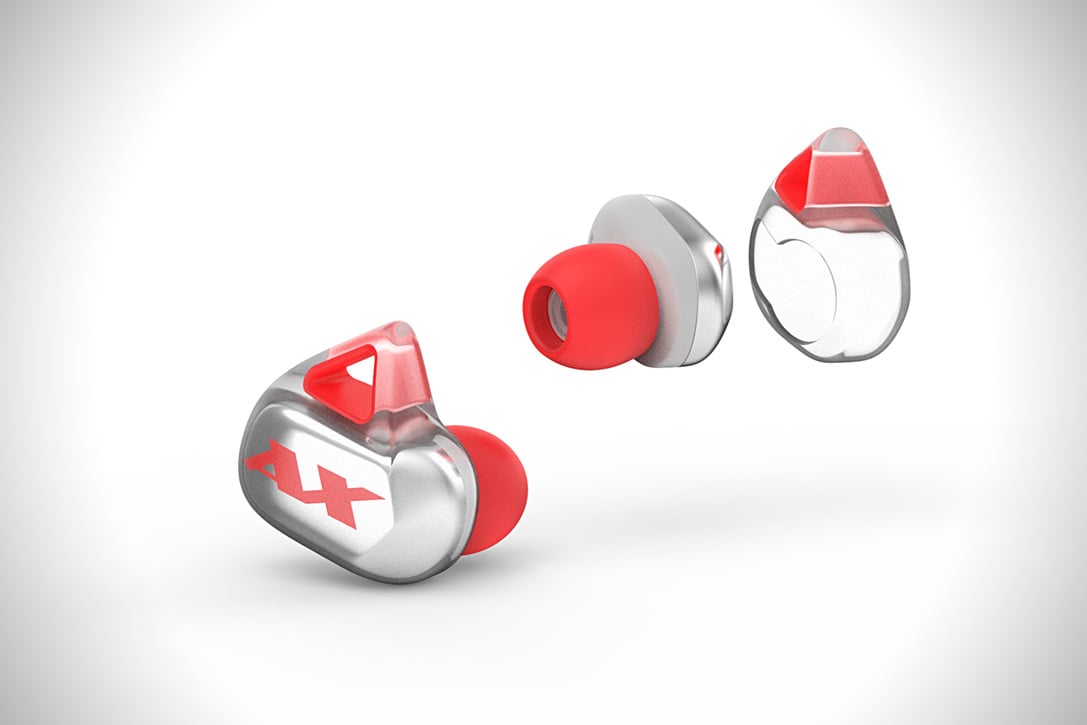
This article is the transcript of an interview with Igal Golva, CEO of Axum earphones, wireless earphones with secure fittings, designed for people doing exercise. A really interesting article about why these earphones are different to others on the market and what their plans are for the future of the company.

Mobile audio has always been a difficult balancing act. The need for great audio on the go has never been more prevalent. With smartphones now a staple for most people’s daily commute, exercise and fitness, the need for an audio solution that can be portable while still sounding good is the holy grail.

Apple, with the iPhone 7 has also forced people’s hands. The headphones they used to use are no longer as easy to pull out and plug in without the use of a dongle. This is where Bluetooth audio options come into play, and where the Axum wireless headphones are planning to make a splash. Currently on Indiegogo, the Axum are aiming to give people great audio, while ensuring they maintain that mobile, ultraportable feel. Currently at 528% funded, the Axum is proving to be a product many people want to get their hands on. We had a chance to talk to Igal Golvan, CEO at Axum, about what the headphones can do for audio and fitness and how they hope to change the way people view Bluetooth audio.

Axum: The Future of Wireless Audio 1

CGMagazine: Could you tell us a little about what Axum does and how these new headphones stand above the competition?

Igal Golvan: First of all, we not only offer four hours playtime (while others offer 1.5-2 hours) you can also get an additional four with the portable charging case. We achieved it by eliminating any unnecessary features. We are aiming to reach fitness junkies like us that need three things: fit, sound and battery life.

Our designers made a unique design that will fit you during the most extreme sport activities. In the last months all we did was test the earphones in every sport activity you can imagine .This included cycling, running, CrossFit , snowboarding and even sky diving .

The issue with True Wireless Earbuds is that all our competitors see this product as the latest technology in the headphones industry and as such they've aimed the technology at early adopters. Unlike them we understand the real potential of the product to become the mainstream earbuds of athletes, as the lack of cables is something so comfortable no one can even imagine, only when doing sport activities and listening to Axum earphones will you really understand the definition of freedom!

Axum: The Future of Wireless Audio 2

CGM: Could you go over what M-voiD® sound technology brings to the table?

IG: Sure. M-voiD stands for Multidisciplinary virtually optimized industrial Design. It’s a technology for the realistic simulation of audio systems using CAD data. It is a sophisticated technology that paves the way to reproduce outstanding sound performance to let consumers discover that earphones deliver the emotions and excitement comparable with a concert.

Realistic and predictive simulations by means of a fully coupled multiphysical electrical-mechanical-acoustical simulation model are the heart and driving backbone of M-voiD® technology. The major advantage of M-voiD® is that acoustic problems can be identified and resolved in the virtual domain before any prototype is being built.

Sound characteristics are virtually measurable and assessable and can be optimized on the virtual model. It is not just limited to the graphical reproduction. M-voiD® listens to the virtual sound of the earphone already on the computer by means of a special reproduction technique (called auralization), enabling improved sound. Bottom line, while even the largest companies out there can test 100 or maybe 10,000 prototypes to check and improve the sound quality before releasing the final product, we had the ability to test sound quality from over 10 million prototypes.

Besides that, Konzept-X also helped us with the driver design itself to maximize the results after we've changed the internal design.


Axum: The Future of Wireless Audio 3

CGM: With your Indigogo doing so well, do you foresee this will delay the final release?

IG: Exactly the opposite. We planned to wait until the funding period is over to head into mass production, but now that we understand the demand we'll start doing it ASAP.

CGM: Why the choice to go with Indigogo over an option such as Kickstarter?

IG: We thought about KS, however the Indiegogo team was much more supportive and offered lots of relevant information on how to succeed with crowdfunding . We are product people and don't understand crowdfunding, so a supportive team was something very important for us.

CGM: Do you plan to offer a retail version of these headphones?

IG: Of course, but first we'll ship everything to our backers and then we'll think about retail.

CGM: For the gamer on the go, will these offer anything beyond what is already in the wild?

IG: The perfect fit of Axum earbuds is something like you've never experienced before, you can see the bulky design of other brands such as Samsung and Motorola The last thing you want to do is wear those gigantic things all day long.

Axum: The Future of Wireless Audio 4

CGM: How do you think these headphones will do with the fitness crowd beyond just the music listener?

IG: We believe that beside the sound quality, the fit and comfort is something they'll be addicted to. We noticed the reaction of the people while testing them out in the gym and we guarantee that once you try Axum earbuds you'll never be able to use wires again!

CGM: Are there any obstacles you will need to overcome to bring these to market?

IG: Yes, there are many obstacles of unawareness from the customers. Many people are not familiar with this concept and think of it as a regular mono Bluetooth ear piece, so we are heading to a long journey of explaining our product and turning it into mainstream.

Axum: The Future of Wireless Audio 5

CGM: How do you feel these headphones will do with a crowded market? What sets Axum apart?

IG: We have full confidence in our product. First of all we know 100% that no matter how good your BT earbuds are, if they are not True Wireless they can't compete with us. As for other True Wireless companies out there, based on their design they've never thought about athletes as their potential customers and it's a shame as this concept is perfect for fitness and exercising. So we already have a huge advantage on them.

Sunday, October 30, 2016

Far offshore windfarms present communications challenges

This is an interesting article debating the different types of communication that can be used over a long distance, and as they distance moves further and further, the different types of communication drop off or become part of an infrastructure. As engineers battle with this problem, knowledge of how radio frequencies and applications becomes paramount.

As offshore windfarms are built further and further from land, alternatives to conventional VHF communications are going to be required

A cornerstone of any major project is clear communication between all parties. As we move windfarm construction further offshore, maintaining efficient voice and data communications becomes essential. With many projects now being constructed beyond the range of VHF radio and cellular telephone, such as a Gemini or Dudgeon offshore windfarms, crew transfer vessel (CTV) operators and their clients are experiencing challenges achieving practical and affordable offshore communications. My experience on two far offshore projects in the last 15 months has shown that creative thinking can work together with existing equipment such as TETRA radio to reduce the risks and stress that poor communications can generate.

Communication solutions on offshore windfarms depend on the phase that the operation is in, the size of the project and the distance from shore. Many smaller, older windfarms rely on VHF radios to communicate between shore and vessel and shore/vessel and work team on the turbines. However, VHF is limited in range being a line-of-sight system, and the signal has trouble penetrating structures such as wind turbines due to the Faraday cage effect. Conventional cellular telephone coverage is also possible on nearshore sites, with some windfarms installing a cellular mast within the windfarm. Vessels at anchor off the Dutch port of IJmuiden can thank the windfarm industry for good connection when waiting for a pilot if they have contracts with the provider KPN.

When moving further offshore, luxuries such as a cellular mast will not be installed during the construction phase, and it is most likely that VHF radios will not be sufficient. It is common for the developer to install a TETRA radio network â€" similar to those used by national emergency response services such as police and fire departments.

TETRA, or terrestrial trunked radio as it is properly termed, is a secure network allowing one-to-one, one-to-many and many-to-many communications. This means that the marine controller can speak directly and privately to one party or to the entire offshore spread depending on what is needed. It transmits on a lower frequency than VHF so covers a greater range. This still is not enough to cover the distances experienced on far offshore windfarms. If multiple base stations are used, each base station can then automatically rebroadcast a message thus expanding the network coverage. On a recent construction project, it was found that there were communications blackspots in the area of the sea passage from the base port to the site. This was later eliminated by fitting full base station units rather than just handheld transceivers on the CTVs. The CTVs then became vital links in the communications network and ensured the blackspots were reduced or eliminated altogether.

TETRA has many other advantages, including the ability to penetrate the tower of a wind turbine, and calls are not dropped when moving between base station carriers due to the network configuration. This is especially important if vessel-carried base stations are relaying far offshore. The network is also secure, which ensures that commercially sensitive information cannot be intercepted. With the one-to-one mode, it also means that managers can have detailed conversations on sensitive subjects.

However, anecdotal information received from vessel crews in the field appear to indicate that TETRA, although a good system, is not foolproof. One vessel master reported that, after 15 months on site, they still had blackspots with TETRA and sometimes have to use the cell phone application WhatsApp to request that turbines be started or stopped so that he can land a team.

TETRA does not solve the operational problems experienced by vessel-operating companies who require frequent voice and data communication with the CTVs to ensure a smooth delivery of service. As most sites far offshore are outside of cell phone coverage and clients demand that daily reports are issued on time, creativity is needed. There is a simple solution that could solve all of the communication problems far offshore â€" installing VSAT satellite communications on each CTV, which allows instant telephone and data transfer.

However, the practicalities of chartering in today’s windfarm industry eliminates this option, as the client will not want to pay for installation and operation, and a vessel owner cannot afford such a luxury. Charterers therefore need to make a decision: either they assume responsibility and the costs for practical workable satellite communications on their vessels or look for practical alternative solutions to deliver what is needed far offshore.

One practical solution to maintain communications between the marine co-ordination centre and vessels is to step back a generation and use medium frequency/high frequency single side band radios, which are common equipment on larger CTVs and is standard on service operation vessels (SOVs) or installation vessels.

When used in conjunction with the digital selective calling (DSC) function of the GMDSS standard, voice communications can be maintained at long distance without operating cost. Unfortunately, current guidance for the marine co-ordination in windfarms as found in the G9 Good practice guideline: The safe management of small service vessels used in the offshore wind industry does not yet consider marine co-ordination and communications in far offshore windfarms.


Another practical solution to improve data communication is to install powerful WiFi antennas on the decks of SOVs and other major offshore assets to allow CTVs to have internet access when they are in close proximity. CTVs can then download passenger manifests and weather reports and upload the daily progress report and synchronise planned maintenance and email systems.

CTVs spend considerable time in close proximity to the SOV during passenger transfer, bunkering or waiting for the next assignment, and it is relatively easy to set up the computers to connect and synchronise without operator input, thus reducing the risk of distraction. SOVs should be designed with space for CTV crews to use as a secure office so that laptops can be left connected to the network. In this way, crews can have two computers and prepare work when on shift, transfer via a data stick and upload when they go off shift.

One of the most effective tools that we have identified is WhatsApp, which seems to require very low signal strength to connect and transfer brief messages. On recent projects, we have found that most vessel/office communication occurs in this medium, including fault finding and incident reporting and investigation. Crews have found it quicker to video a CCTV system playback and send via WhatsApp than download the CCTV video and send it via a file transfer service. As synchronising an electronic planned maintenance system offshore is very time consuming, our superintendents have taken to sending the worklists via WhatsApp to the vessels who then confirm back with text or images when a job is complete. The superintendent then does the PMS administration from their office with the advantage of high speed network connections. Experience with WhatsApp has led me to believe that agile, low data applications will form part of the future of offshore communication.

Far offshore projects have moved from planning and dreaming to reality. However, effective and cost-efficient communication solutions have not moved with them. Like most challenges with far offshore windfarms, there is no single solution, but experience has shown that, with creativity and flexibility, projects can communicate with their teams and operators can manage their vessels.

Better equipment earlier on in the construction phase, such as MF/HF radios in the MCC and on the vessels, TERA base stations on the vessels and open deck WiFi on construction assets will all assist in improving safety and reducing stress while ensuring that unnecessary costs are not incurred.